Big UI upgrades and more!
Hey, it isn’t nearly a year since the last devlog (but it’s still pretty long). We promised shorter and sooner, one out of two isn’t bad 🏆
This is a feature-packed devlog – luckily there are enough graphics to support it.
Let’s start with the most visible change, the big UI upgrade! ✨
We went over (nearly) every screen, asked ourselves questions like ”How can we improve this?”, ”What can we add?” and ”Is dinner ready?” and came up with a new design for the game UI!
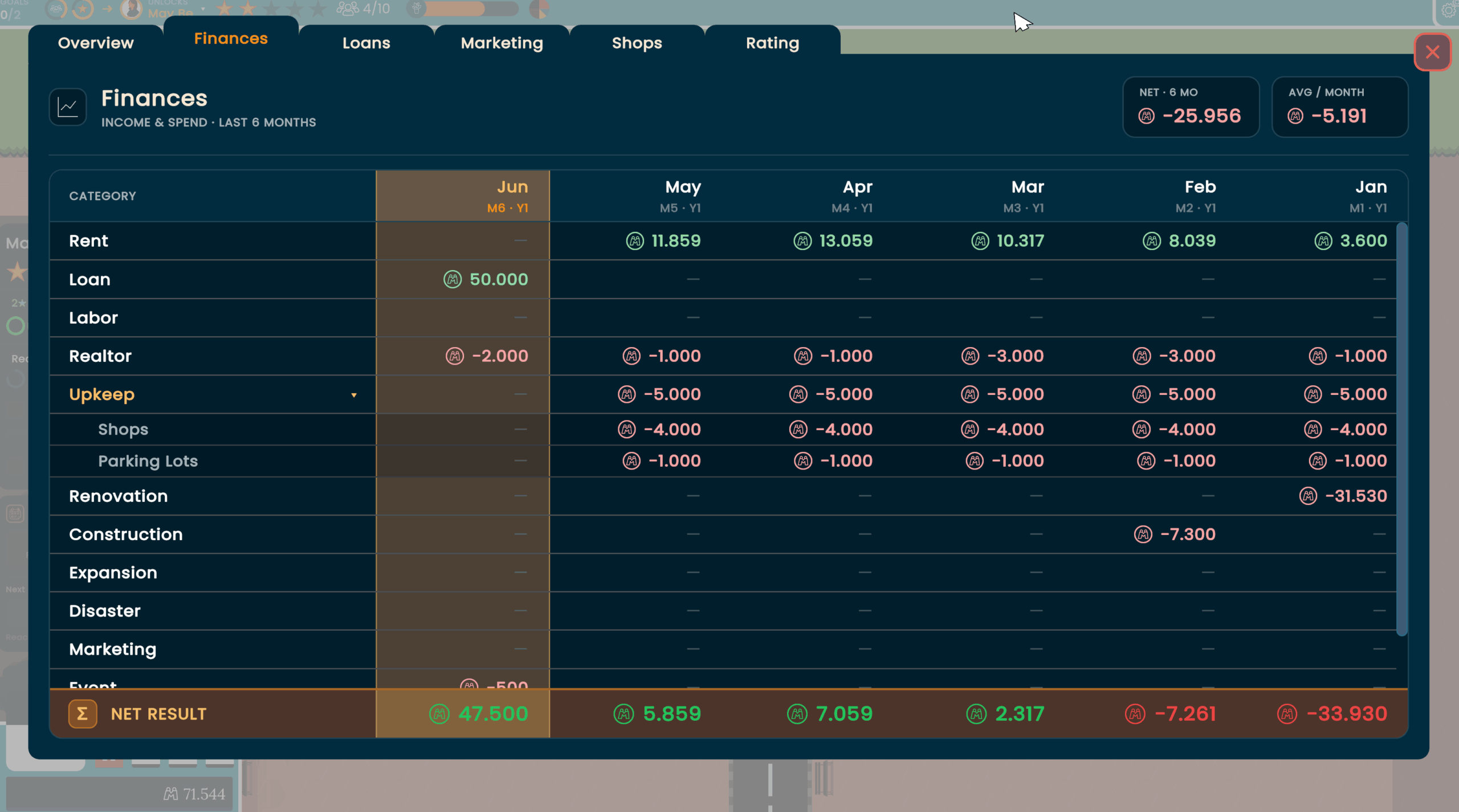
Just look at the gorgeous new finances screen, you can directly see where your Malloneys went (and the current month is recognizable at a glance). 📈
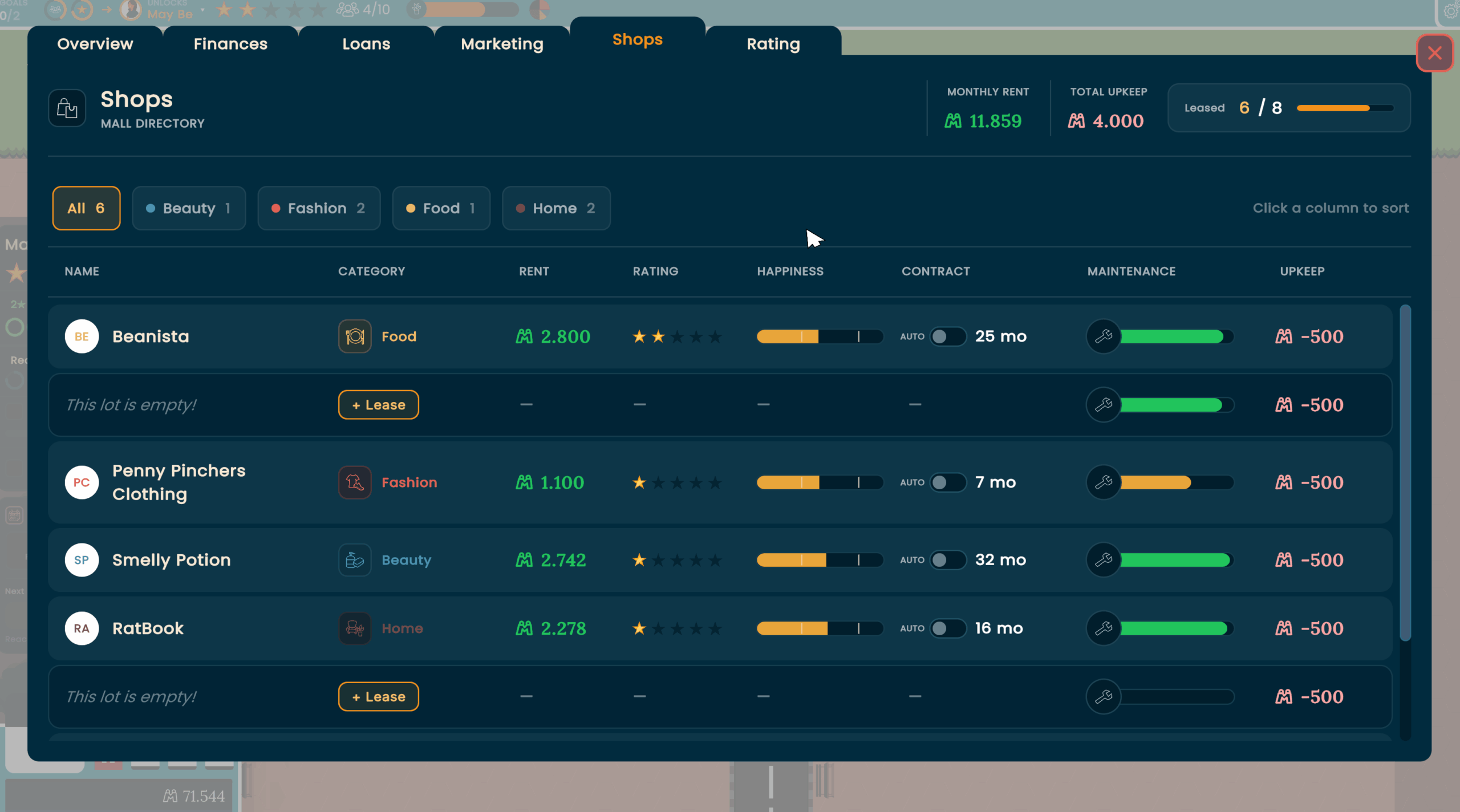
The shop list also received the design treatment, giving you a clearer overview of all the shops in your mall. 🪟
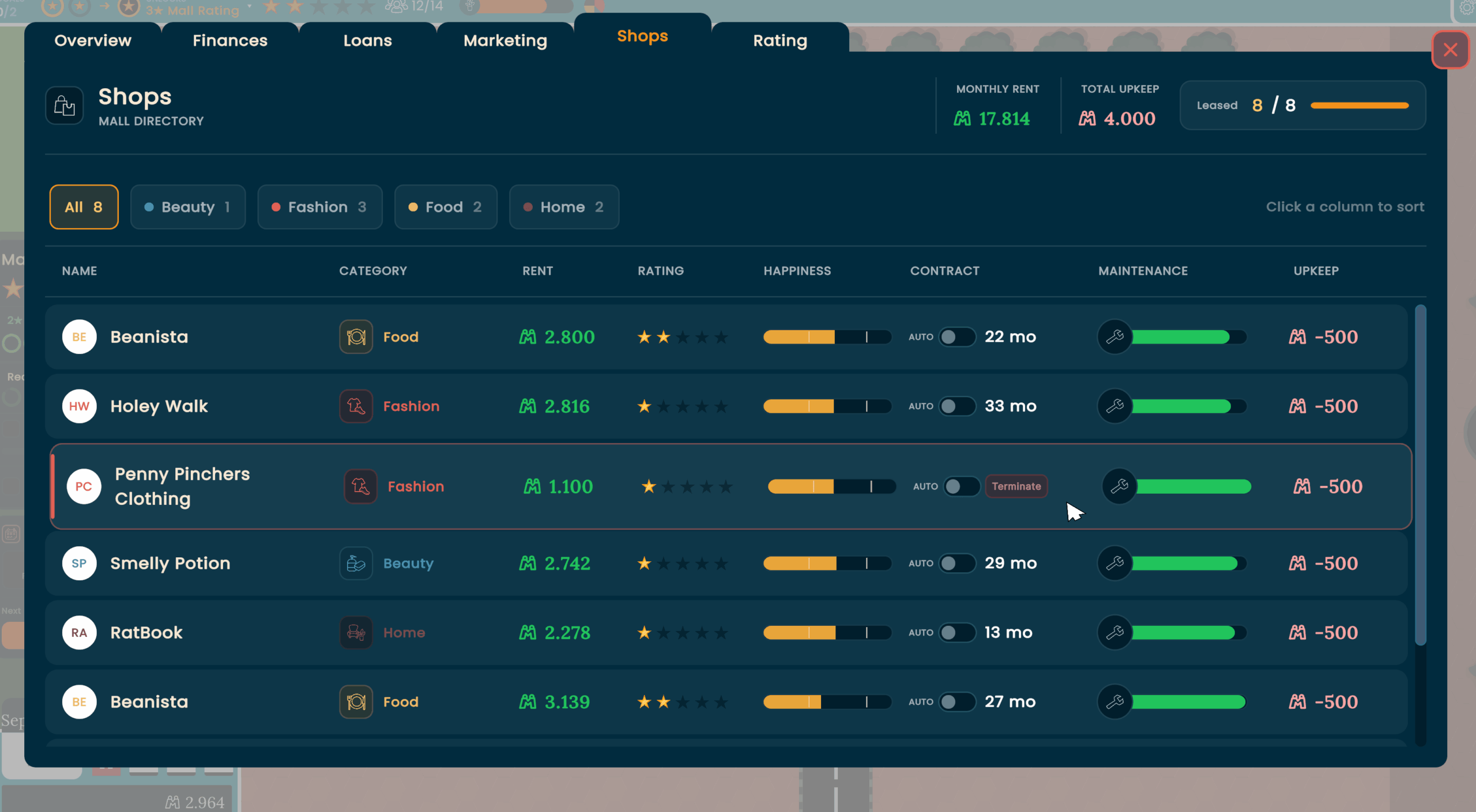
The new design also brings new QoL features, like an auto-renew toggle in the shop list and the option to kick out a shop quickly.
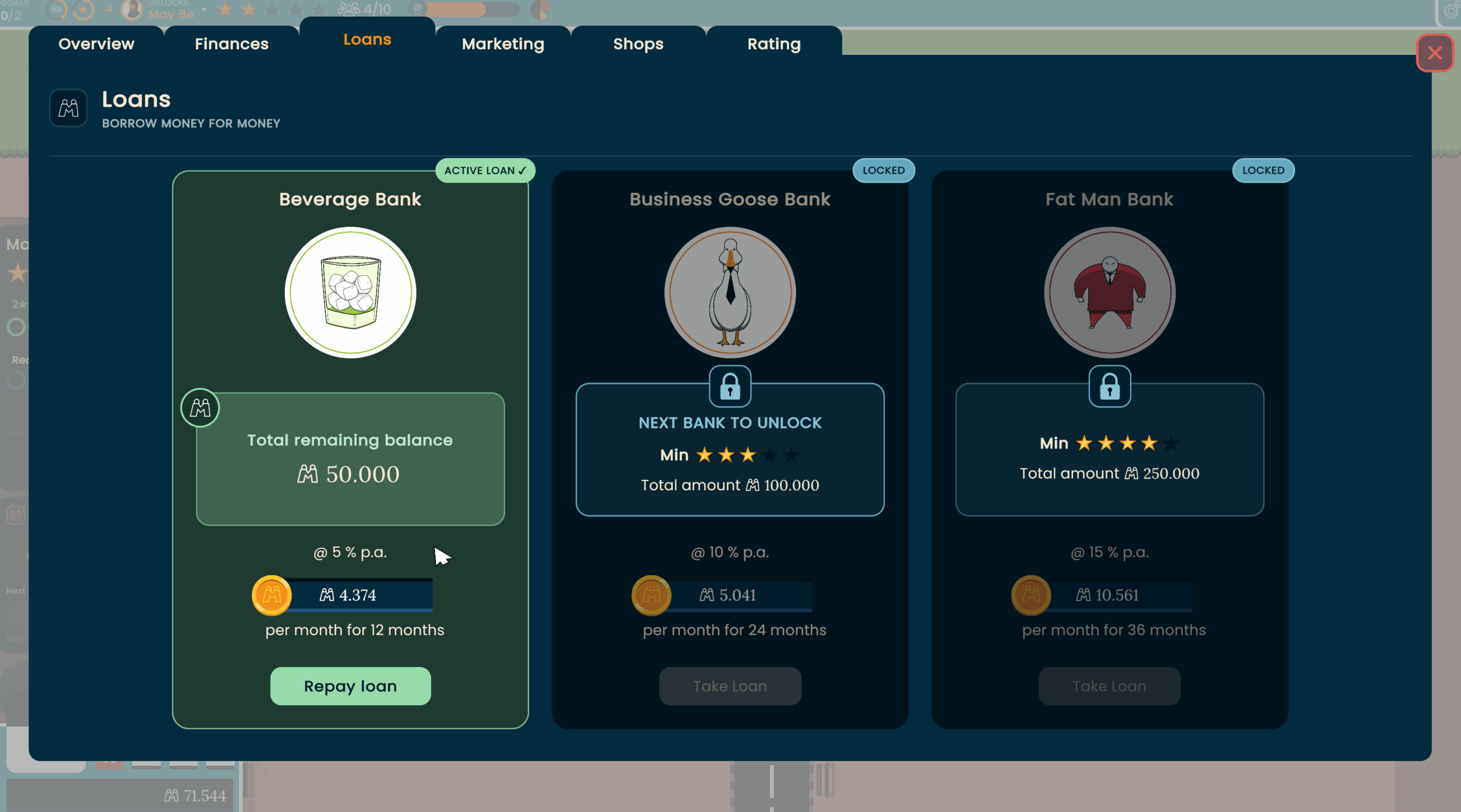
Loans make you pay interest, so the bank makes profit.
These profits went straight into the redesign of the loan screen. So when you spend Malloneys, it’s at least with style. 🏦
Having empty lots never looked so good!
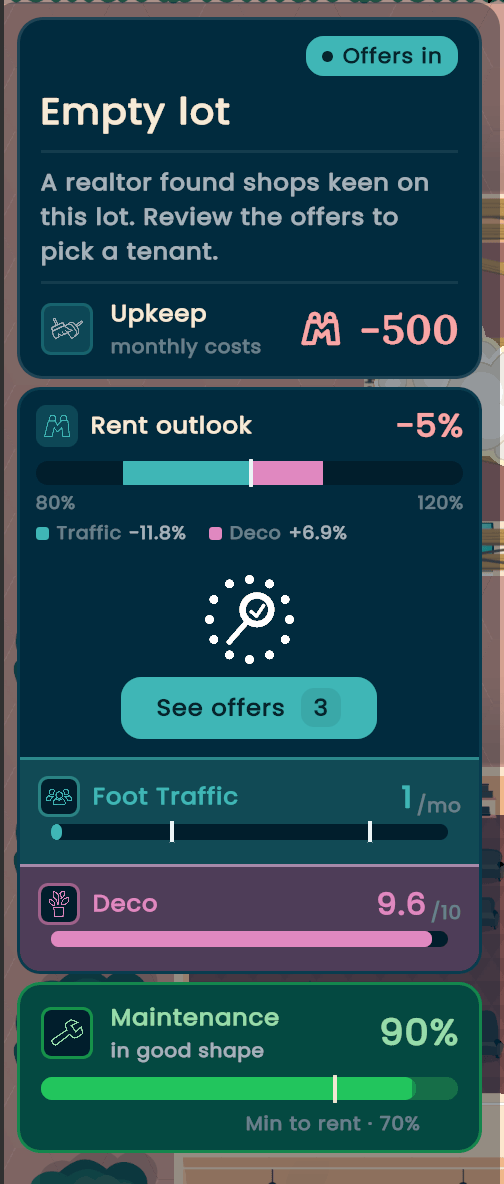
But wait, this screen shows even more. 🤯
Now an empty lot has an attractiveness level, based on foot traffic and the deco level around the lot.
A more attractive lot, ah, attracts(?) more rent.
To see the hotspots (and dead zones) of your mall, you can enable the customer heatmap! 🚶♂️
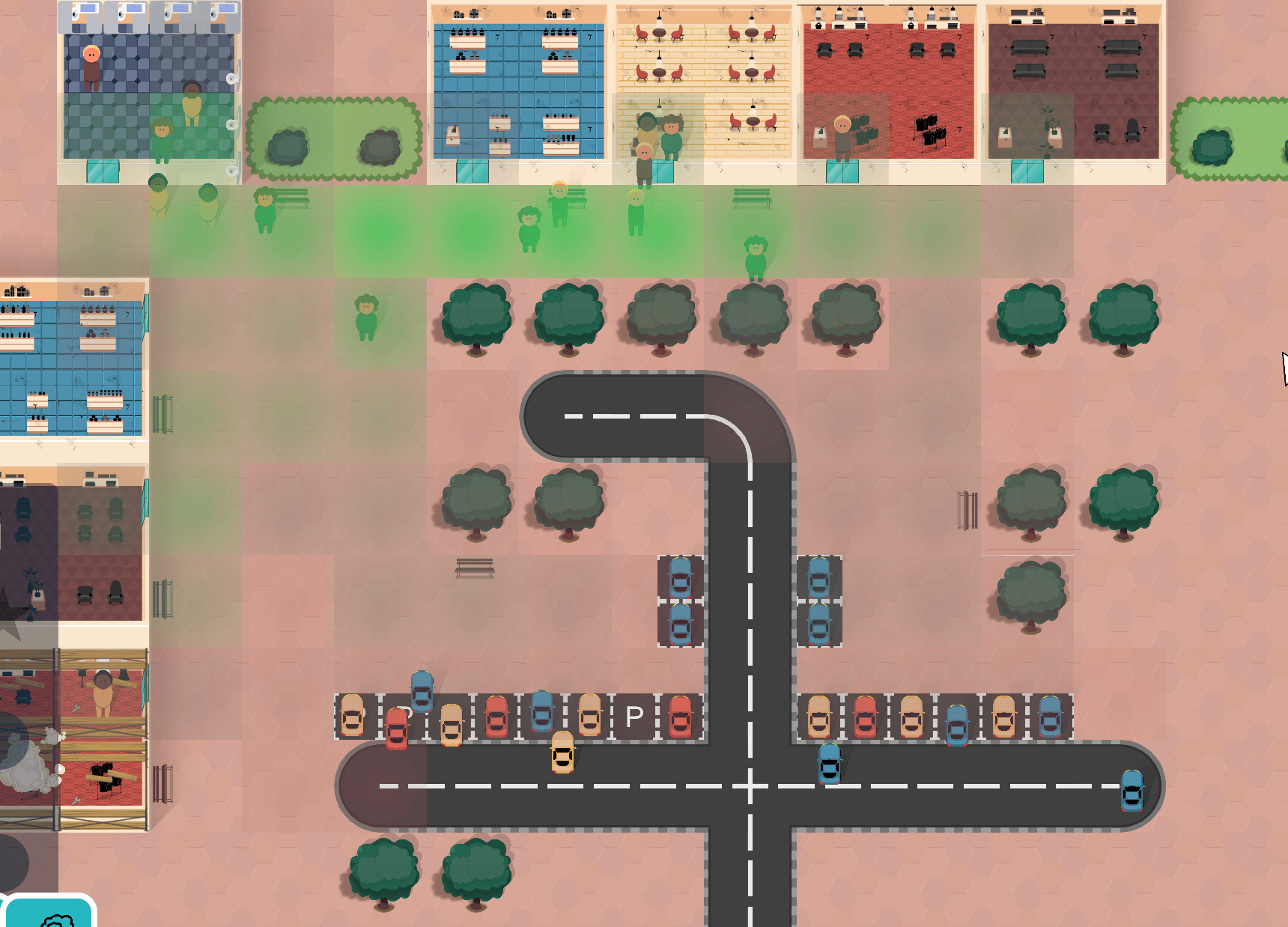
The empty lots look good, but the shops look even better (and bring Malloney!). 💸
With the new accordion design you can see the most important information at a glance. Just a click and you can dig deeper into all things important for that shop.
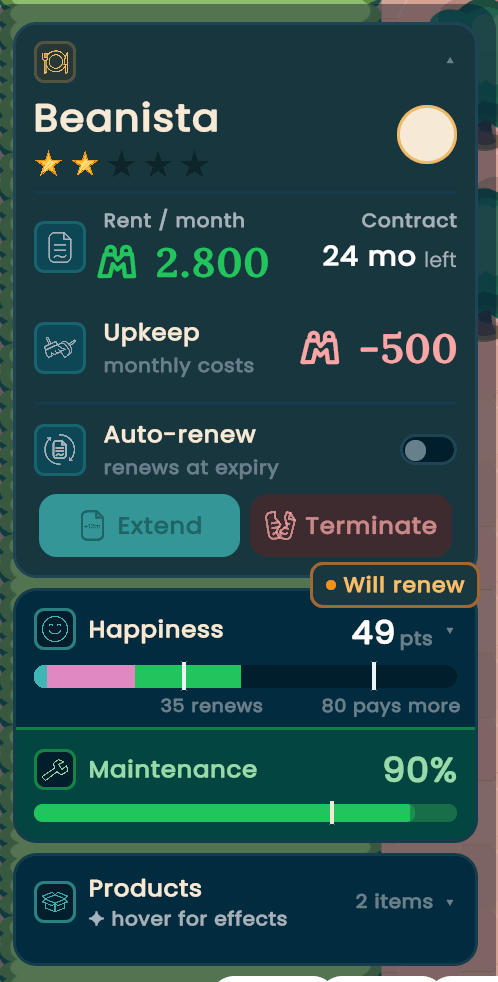
Like the new happiness-o-meter for shops! 🙂☹️
This is a combination of visiting customers per month, the deco level around the shop and the maintenance level.
Whether this shop will renew the contract, pay even more or leave your mall now depends on its happiness.
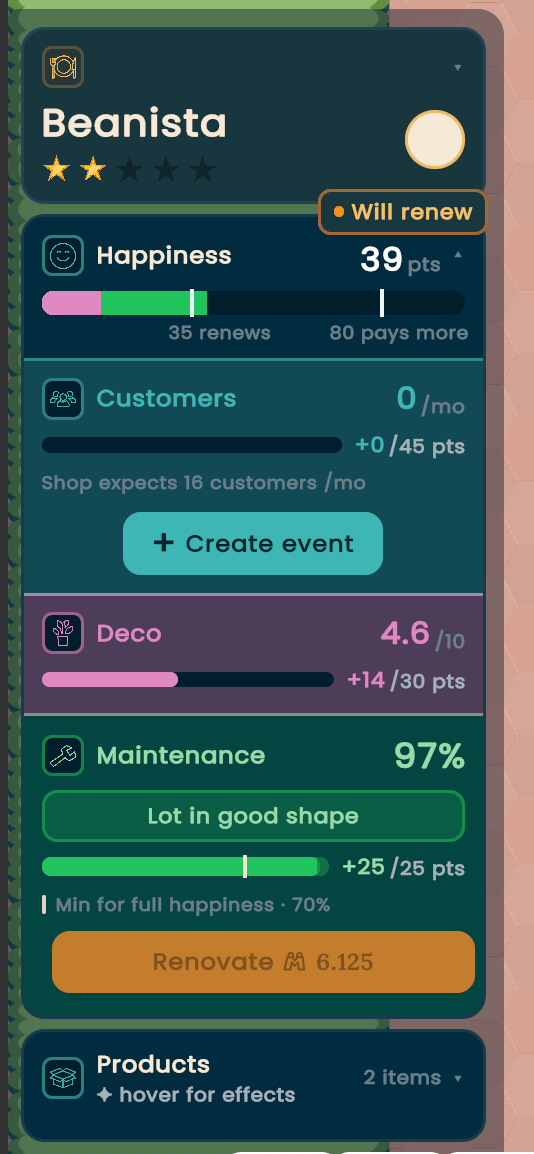
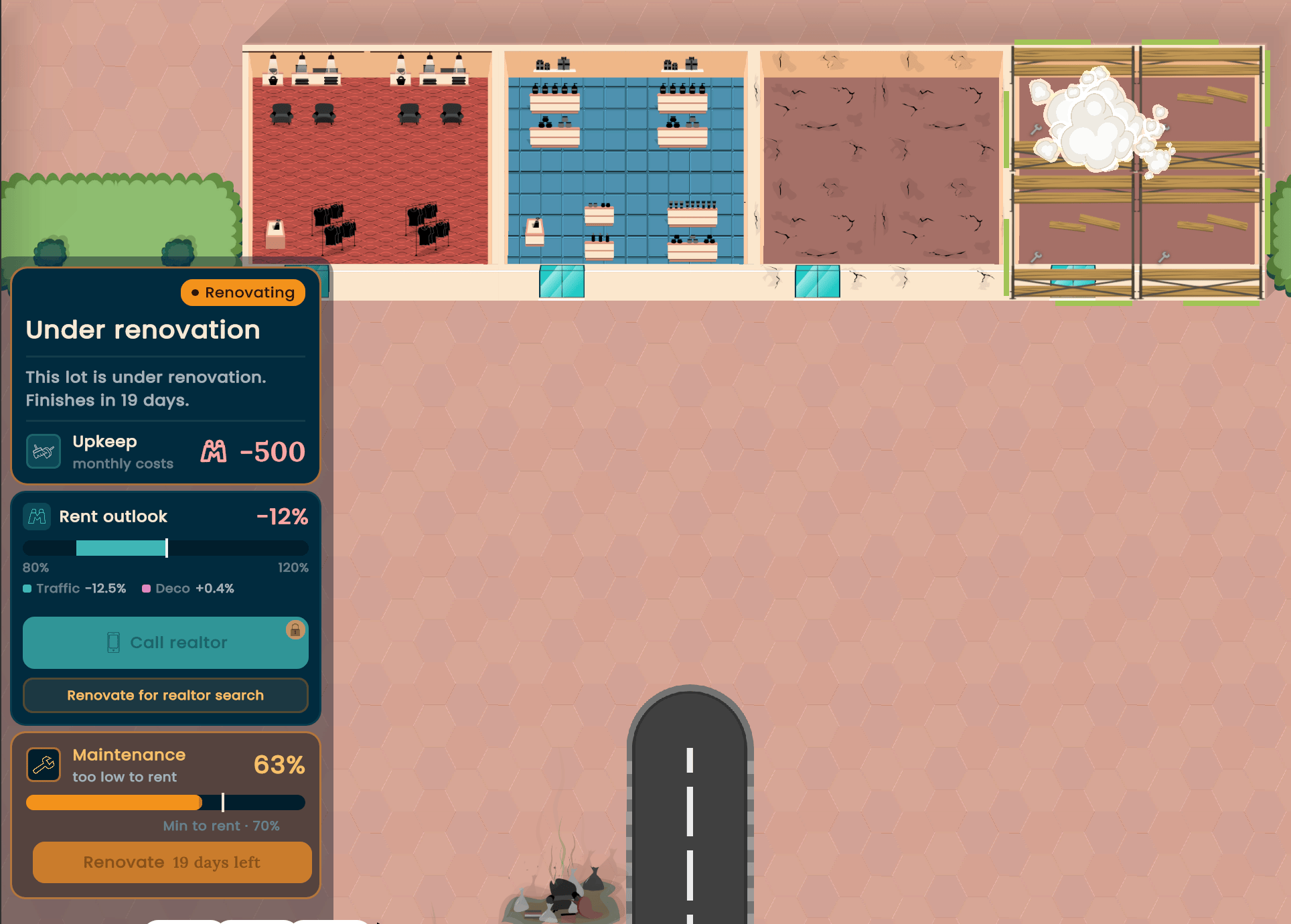
Oh, you want even more information? The remaining days of the renovation are now also displayed in the sidebar. 🚧
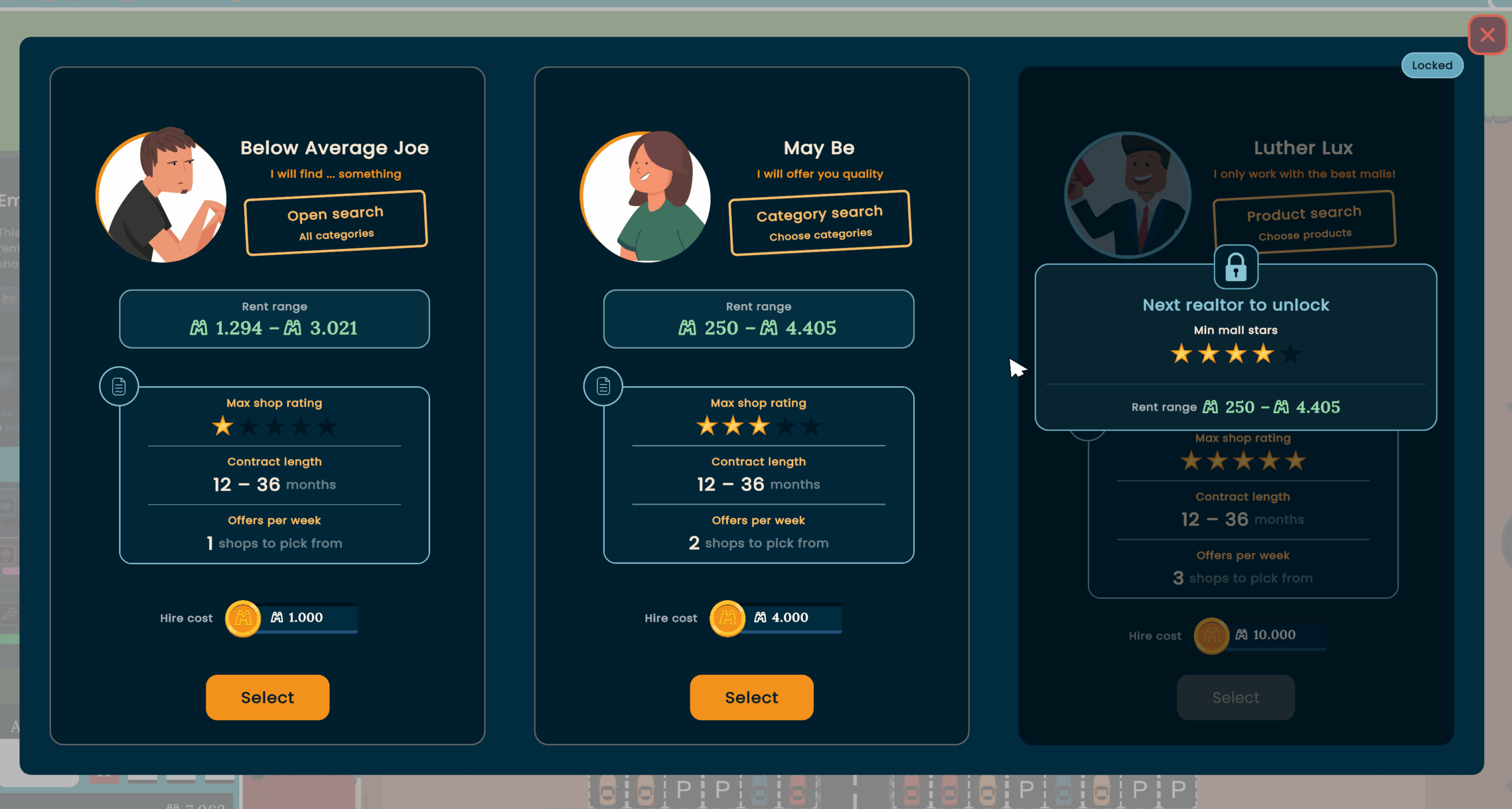
Choosing the right realtor is hard!
Should you go with May Be or Luther Lux, or take the cheap option with Below Average Joe? How to decide this?!? 🤔
With more information on this screen, like the rent and contract length range, and the maximum shop rating they can find, you can make an informed decision! (As long as the realtor wants to work with you)
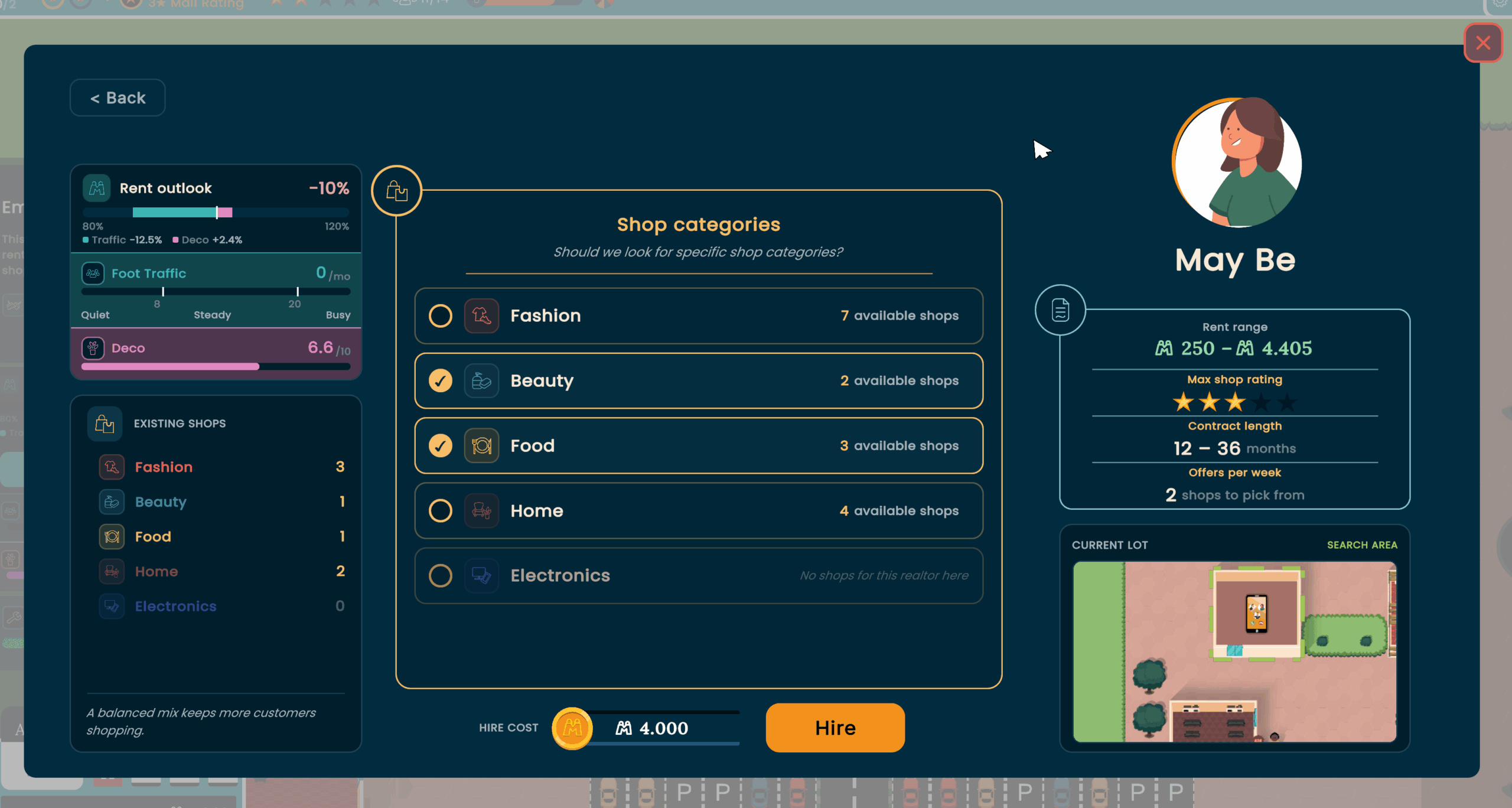
After the hard decision of which realtor to cont(r)act, you may wonder ”What lot did I select? Where is it? How is my current category mix?”. 🤷♂️
Now the realtor confirm screen provides all these precious information!
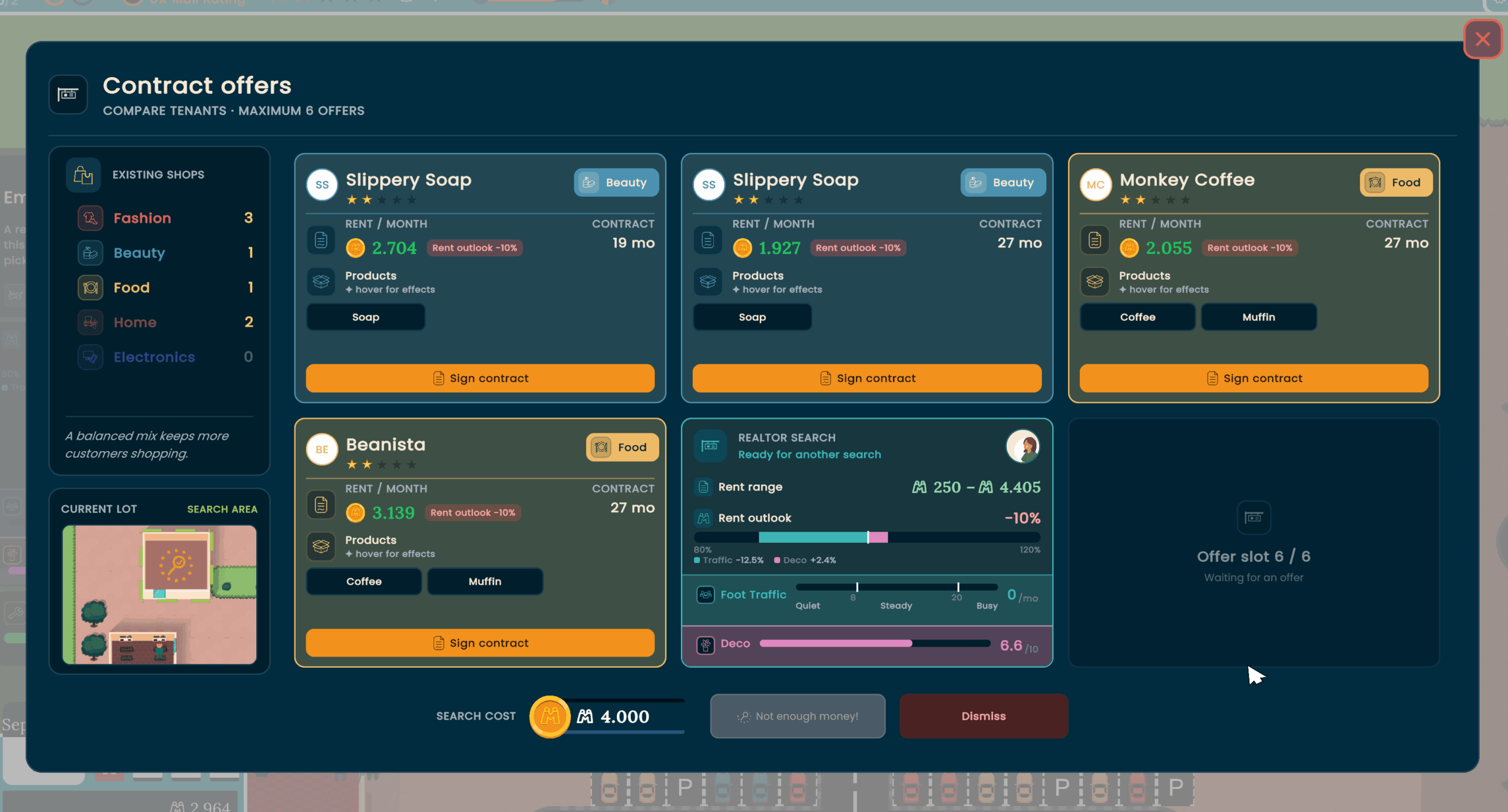
While it’s important to select the right realtor for the job, it’s even more important to select the right shop! 🛍️
The new contract offers screen makes it easier than ever to compare your options.
And when you want to search again, it shows how the lot is doing now (Maybe you planted some trees to make it nicer?).
Times are changing, and you can control them now with hotkeys! (It goes like 1, 2, 3)
Last time, we introduced new areas for your mall, the mall expansions.
While it is great to buy a new area and develop it to be an extension of your super mall, it’s not great how it tanks your mall rating the second you buy the, ah, underdeveloped plot of land.
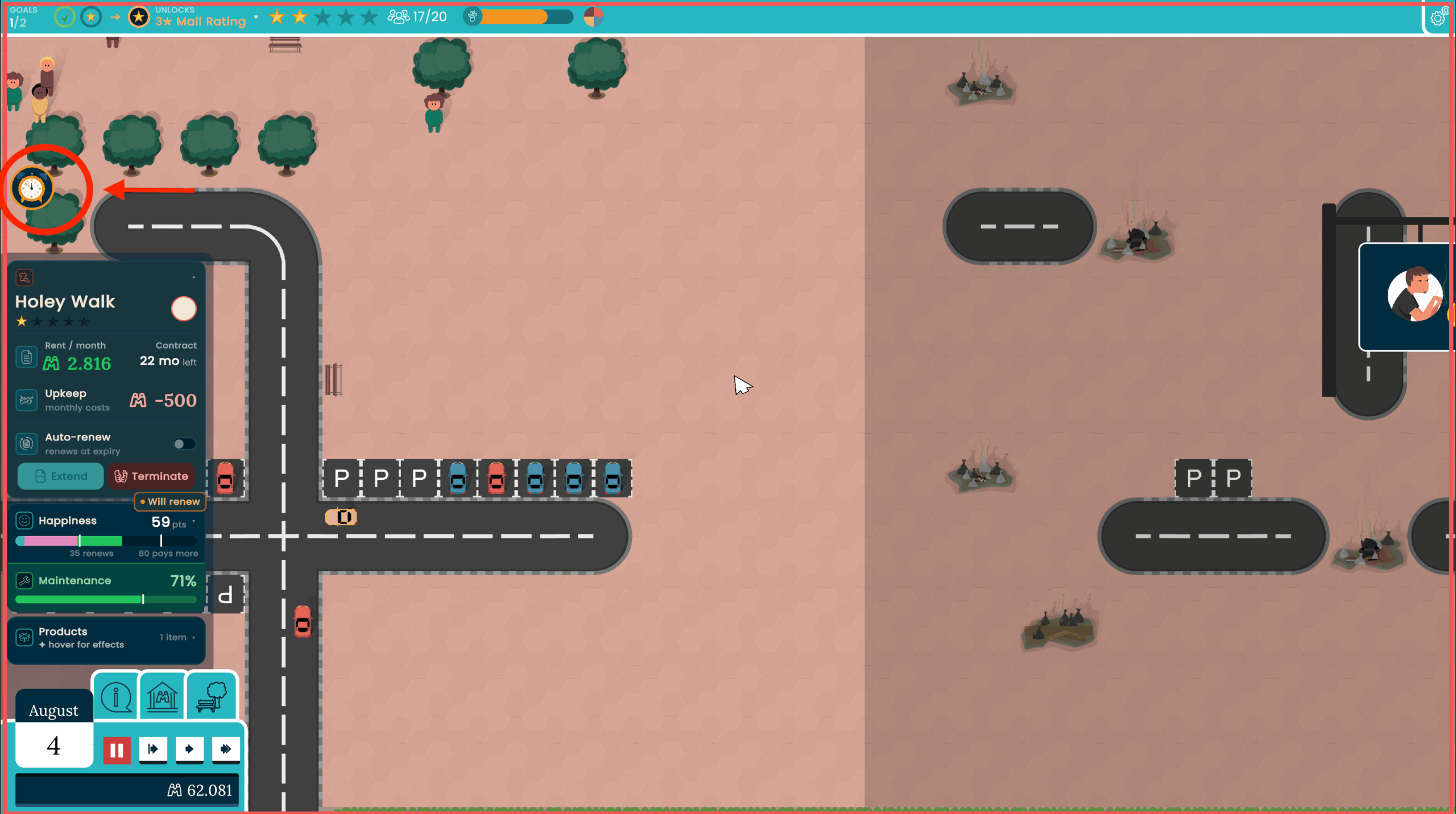
So now there is a grace period before the new area affects the mall rating, displayed with this old-school flip flap clock!

A bigger mall also means less overview!
Now there are small icons at the edge of the screen where the affected lot would be, used for important notifications, like an expiring contract, a burning lot or the return of the missing cat. 🙀
Since it takes some time to write these devlogs, we already have enough changes for about 2-3 more devlogs 😅
We are currently in a polish phase and try to have the next alpha ready for you to play soon (NO, John, don’t add more features!)